Welcome to Doom Kanban Board! A fun and interactive game to manage your tasks using a Kanban board inspired by the chaos and strategy of a workday. 💀
How does it work?
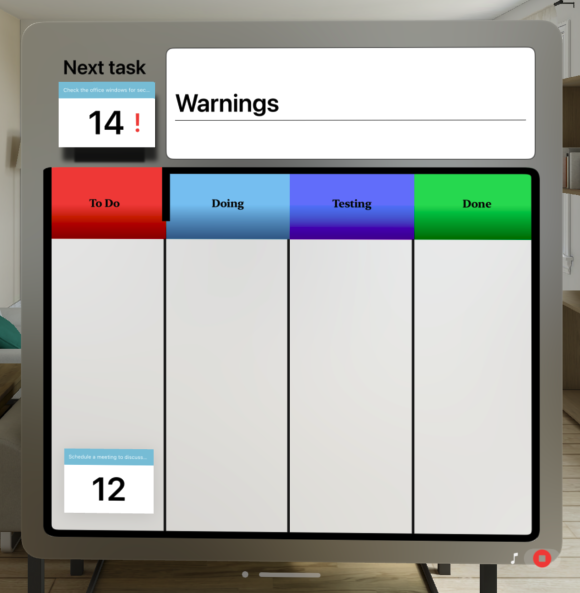
In Doom Kanban Board, you manage tasks by moving them through four columns until they are marked as "Done."
🛠️ How do Kanban cards work?
1. To Do
This is where all new tasks are. Tasks start here, waiting for your attention.
2. In Progress
When you start working on a task, move it to this column. It represents tasks that you are actively working on.
Once a checkbox appears in the top right corner of the card, you can mark it as completed and move it to the next phase.
3. Testing
When a task is complete but needs review, move it to this column. This is where you review or test your work.
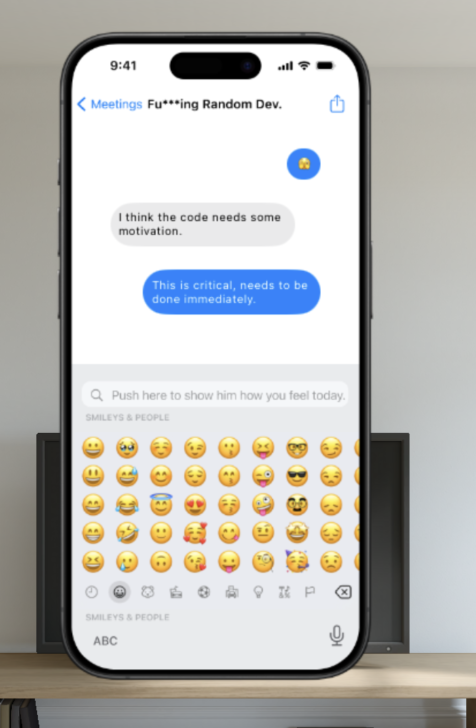
In this phase, you might encounter bugs, marked by a red flag 🚩. To fix it, click on the card, which will open a chat with the corresponding developer to fix the bug.
Once resolved, the flag will be removed, and the task will automatically be completed.
4. Done
When testing is finished, and the task is fully completed, you can move it to the Done column. Congratulations! 🎉
You must move all tasks to the Done column before the remaining time for each task runs out to earn extra points.
🎮 Rules
You must move all tasks from the "To Do" column to "Done" using drag and drop.
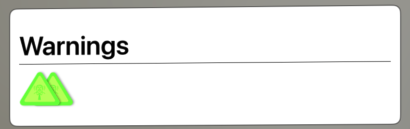
Warnings: If you fail a task, you will receive a ⚠️ warning from your boss. If you accumulate three warnings in the same project, you will be fired. From the third round onwards, your boss will start to distrust you and will observe you at certain intervals, represented by a red eye in the warnings section. If you make a mistake while being watched, the penalty will be doubled. Be careful!
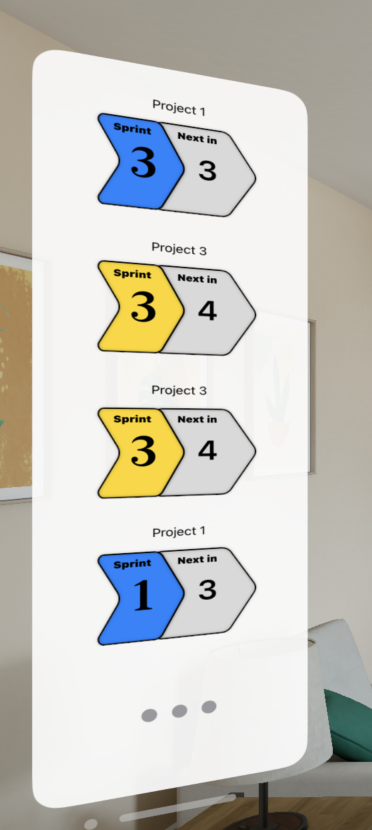
Sprints and Projects: On the left side of the screen, you'll see the next task to complete, based on the project and sprint you're working on. It's possible to have multiple active projects simultaneously, and each project has several sprints and tasks. You must complete them all.
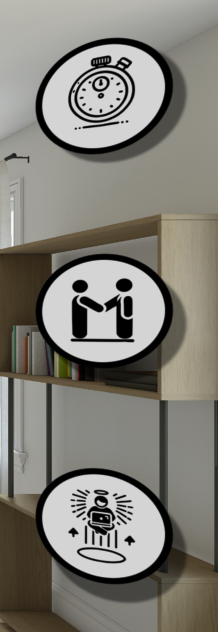
Skills: On the right side of the screen, you'll have access to three skills that will help you complete tasks faster:
Skill to see the next pending task.
Skill to halve the remaining tasks.
Skill to automatically complete tasks for a short period.
There are tasks marked with a red flag 🚩 that you must fix, and some important tasks are marked with a red exclamation mark ❗️, which give double points but also double warnings if you fail.
💡 Skills
On the right side of the board, you have three skills that will help you complete tasks faster:
See the next pending task
Halve the remaining tasks
Automatically complete tasks
Warnings
If you fail a task, you will receive a ⚠️ warning. Accumulate three warnings in the same project, and you will be fired.
Leaderboard + Apple Game Center
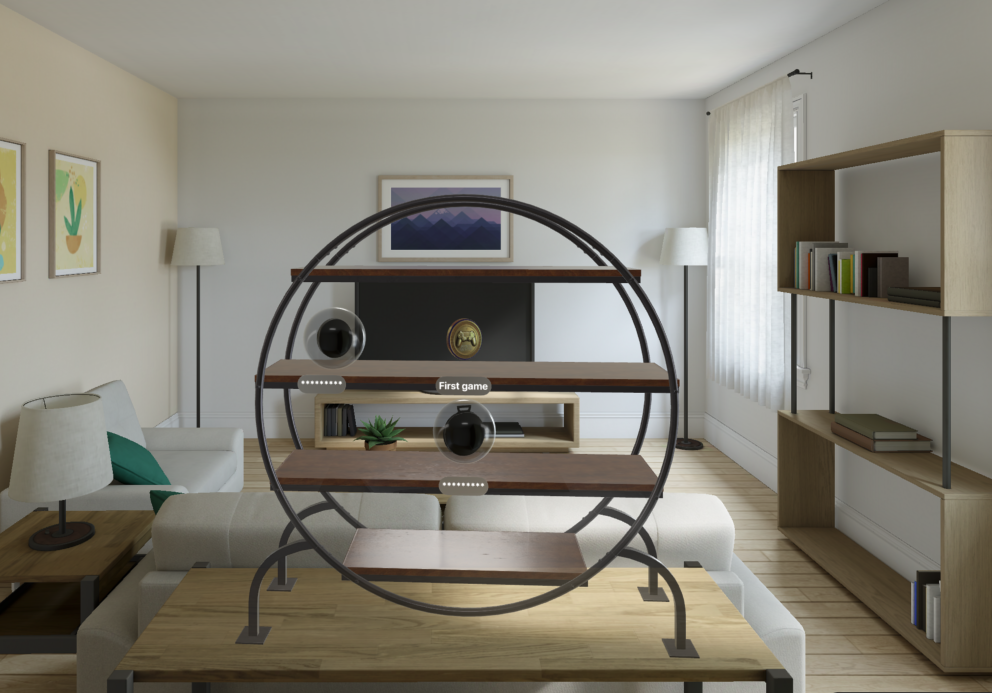
Use GameCenter to compete against your friends and climb the leaderboard to become number 1. Earn achievements while playing, which you can view in a customized 3D space for a better experience.
Achievement Examples
Simulated Conversation with visionOS
We have implemented an ornament in visionOS to simulate a fictional conversation between the Product Manager and the Developer. In this conversation, the PM asks the Developer to urgently fix a bug, using a chat interface that reinforces the game’s narrative. This functionality adds an extra layer of immersion and realism to the development and pressure environment that developers often face in their day-to-day work.
This chat ornament simulates a realistic conversation and integrates with the 3D visionOS environment to enhance the user experience, giving it a fun twist while managing tasks on the Kanban. It feels as if you are receiving real-time instructions while playing!
🔧 Features
Interactive drag-and-drop Kanban board
Four distinct task columns: Backlog, In Progress, Review, and Done
Fake mobile chat and pool of task titles based on jokes
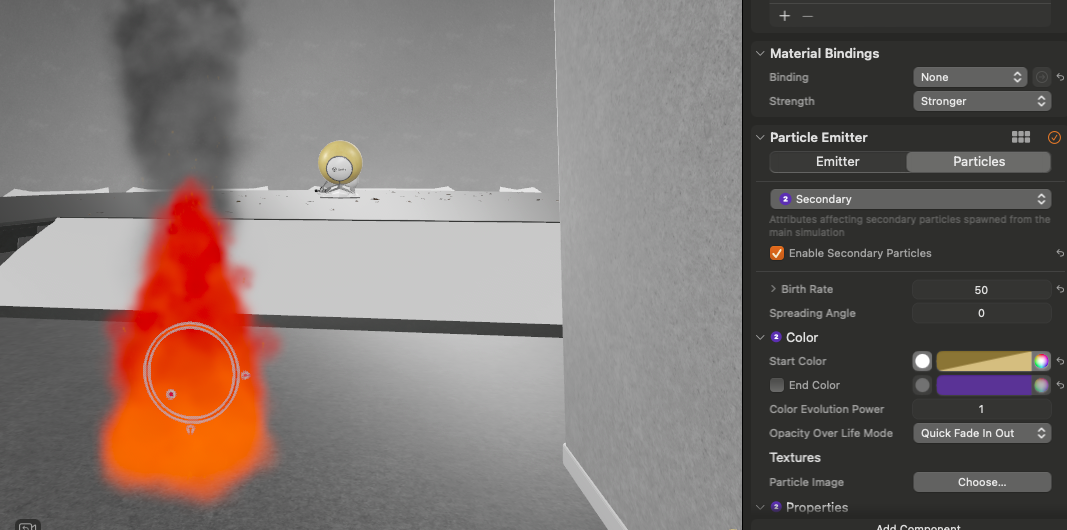
Office immersive experience that reacts to the game (e.g., Office on fire)
Leaderboard connected to iCloud and GameCenter
3D model representation of Game Center achievements
In-game music
Initial Fire Particles Attempt with Unity
In an initial attempt, I used Unity to generate the fire and smoke particles needed for the burning office simulation. However, I encountered a problem: I could not export the particles generated in Unity as a .fbx file that could then be converted to USD format via Reality Converter.
Due to this limitation, I opted to use **Reality Composer Pro**, which allowed me to natively generate the fire and smoke particles and integrate them with the 3D office model. This tool was key to achieving a smoother experience and ensuring the fire and smoke simulations behaved as expected.